Configure an Agent Gateway
This topic describes how to configure an Agent Gateway that enables communication between the Octoplant server and agents that cannot be reached directly through the server's TCP/IP network.
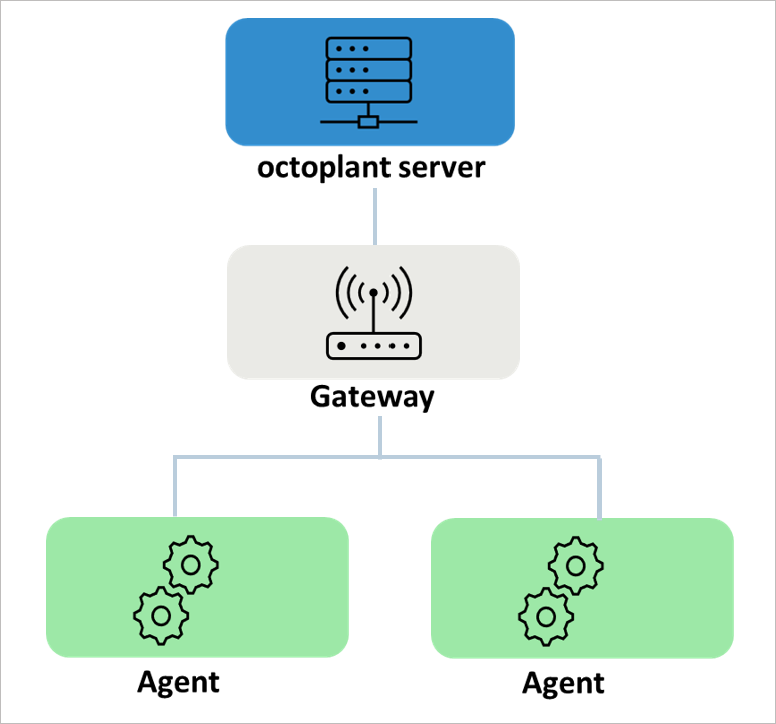
Prerequisite for configuring an Agent Gateway
- The gateway must be installed on a PC that can be reached through the TCP/IP network of the Octoplant server. At the same time, the agent must also be accessible from this computer through TCP/IP.
Configuration of the gateway
The settings for the Gateway are configured using the INI file VDogGateway.ini. The file can be found under: {Drive}:\vdoggateway\VD$A\Configuration\
- Open the
VDogGateway.inifile using a text editor, for example Notepad++. - Implement the desired settings. Possible settings can be found in the following table.
- Save the data and close the text editor.
VDogGateway.ini file sections
vdog_agent
The [vdog_agent] section is used to configure the network transition from TCP/IP to the agent.
| Key | Description | Value | Default |
|---|---|---|---|
| Enabled | Key to enable communication to the agent | Y/N | N |
| Port | Key to configure the port for communication | {1 to 65535} | 64012 |
| IpAddressesClient | Key for configuring the IP addresses of subscribers who are allowed to access the gateway. This is usually the Octoplant server. The list can be changed at runtime. Mandatory field | {List of IP addresses separated by commas} |
Example configuration
Related topics