Use cases
This topic describes common use cases for Upload and Compare agents.
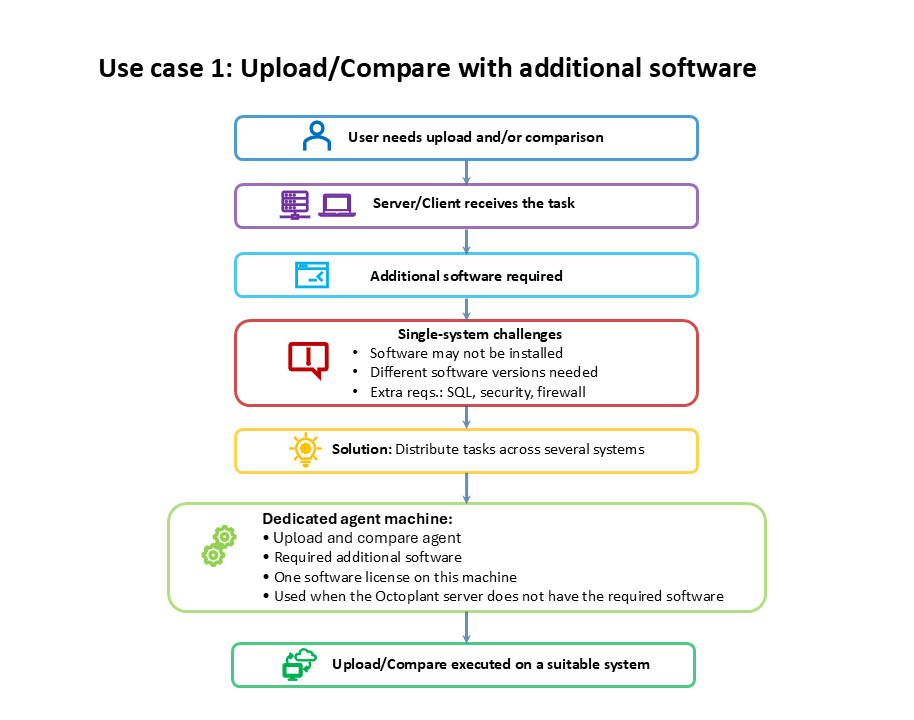
Use case 1: Upload/Comparison with additional software
Scenario:
You want to perform an upload, a comparison, or both. This task requires additional software, for example, the development environment for the device.
Make sure that the following requirements are met:
- The required additional software is installed on the server or client.
- The required version of the additional software is installed. If the task requires different versions of the same software, use separate PC systems because different versions cannot be installed on the same PC system at the same time.
- All additional requirements for the upload or comparison are met, for example, an SQL database server, security concepts, or firewall rules.
Possible solution:
Distribute the tasks across several systems. Install Upload and compare agents on each system that takes over tasks from the server or client.
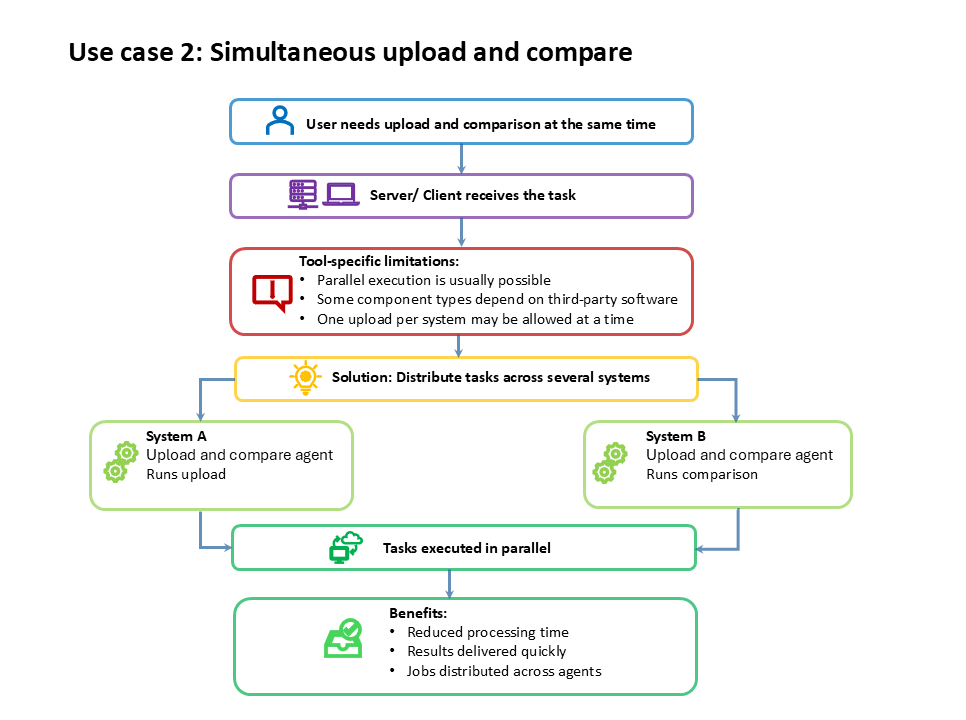
Use case 2: Simultaneous Upload/Comparison
Scenario:
You want to perform an upload and a comparison at the same time. Uploads and comparisons can usually run in parallel on one system. However, some upload types require third-party software that supports only one upload on one system at a time.
The following upload types cannot execute uploads in parallel on one system:
- RSLogix5
- RSLogix500
- RSLogix5000
- TIAPortal
- SchneiderEcoStruxureControlExpert
Possible solution:
Distribute the tasks by installing agents across several systems. The agents can execute the tasks in parallel. This can reduce processing time and deliver results more quickly. You can also distribute jobs across specific agents to manage the workload manually.
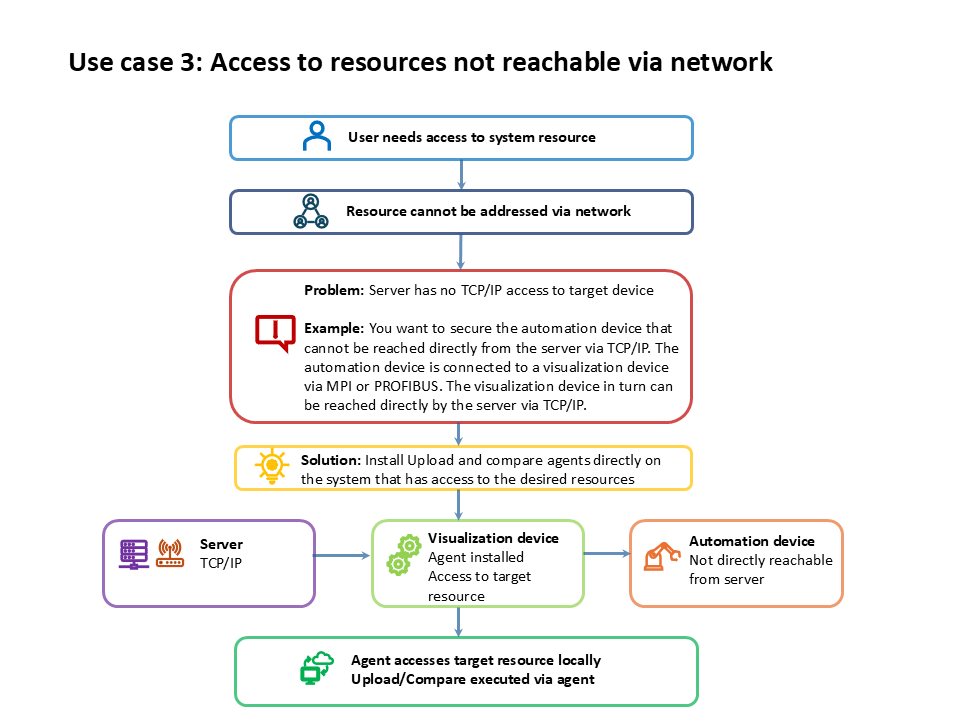
Case 3: Access to system resources that cannot be addressed via the network
Scenario:
You want to access system resources that you cannot address via the network.
Example: You want to secure an automation device that the server cannot reach directly via TCP/IP. The automation device connects to a visualization device via MPI or PROFIBUS. The server can reach the visualization device directly via TCP/IP.
Possible solution:
Use Upload and compare agents to access system resources that the server cannot address via the network. Install the agent directly on the system that has access to the required resources. In the example case, install the agent on the visualization panel to access the automation device.
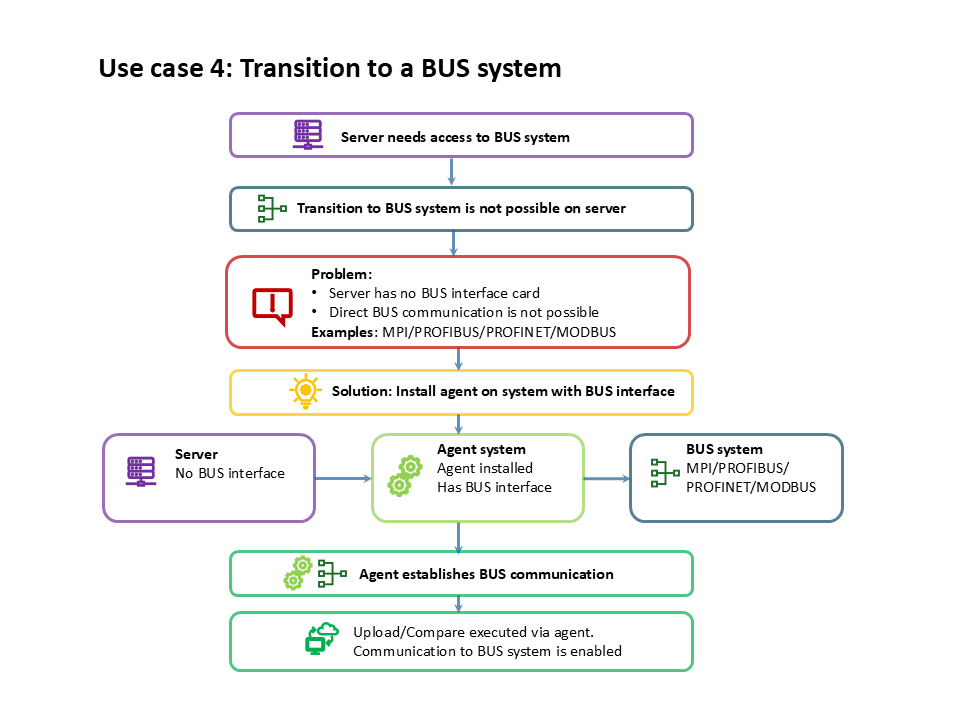
Case 4: Transition to a BUS system
Scenario:
You want to connect to a BUS system (MPI/PROFIBUS/PROFINET/MODBUS/...), but the server cannot establish the connection, for example because it does not have the required interface card.
Possible solution:
Install an agent on a system that has the corresponding BUS interface. The agent establishes communication with the BUS system.
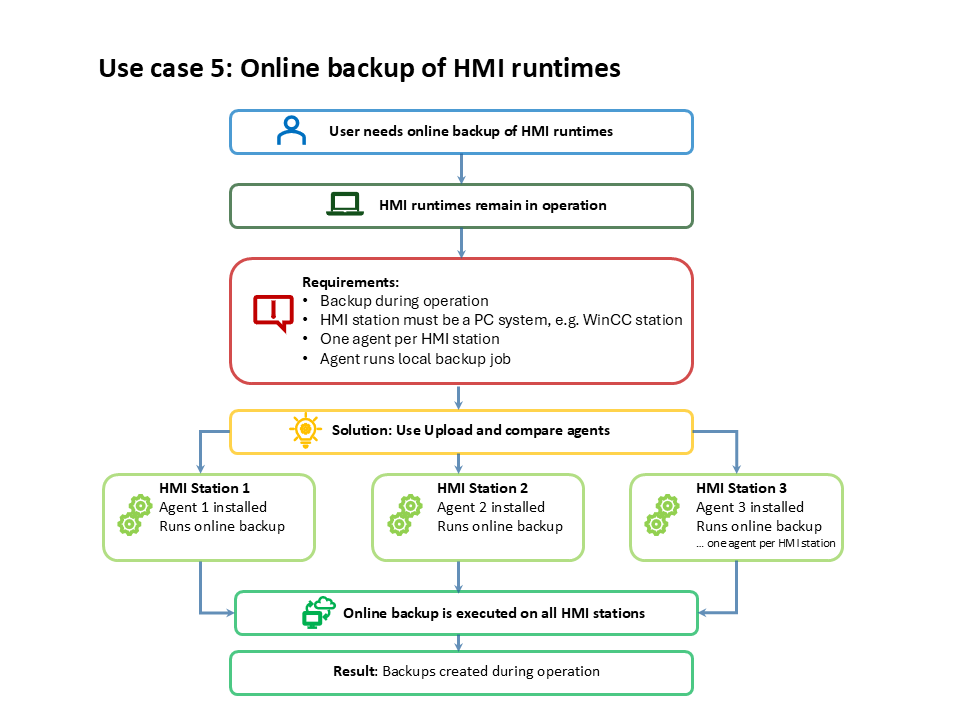
Case 5: Online Backup of HMI runtimes
Scenario:
You want to back up HMI runtimes during operation.
Possible solution:
Execute the job with Upload and compare agents. Each HMI station mus be a PC system, for example a WinCC station. Install one agent per HMI station. The agent runs the job locally.