The UserClient interface
The UserClient interface is divided into three main areas.
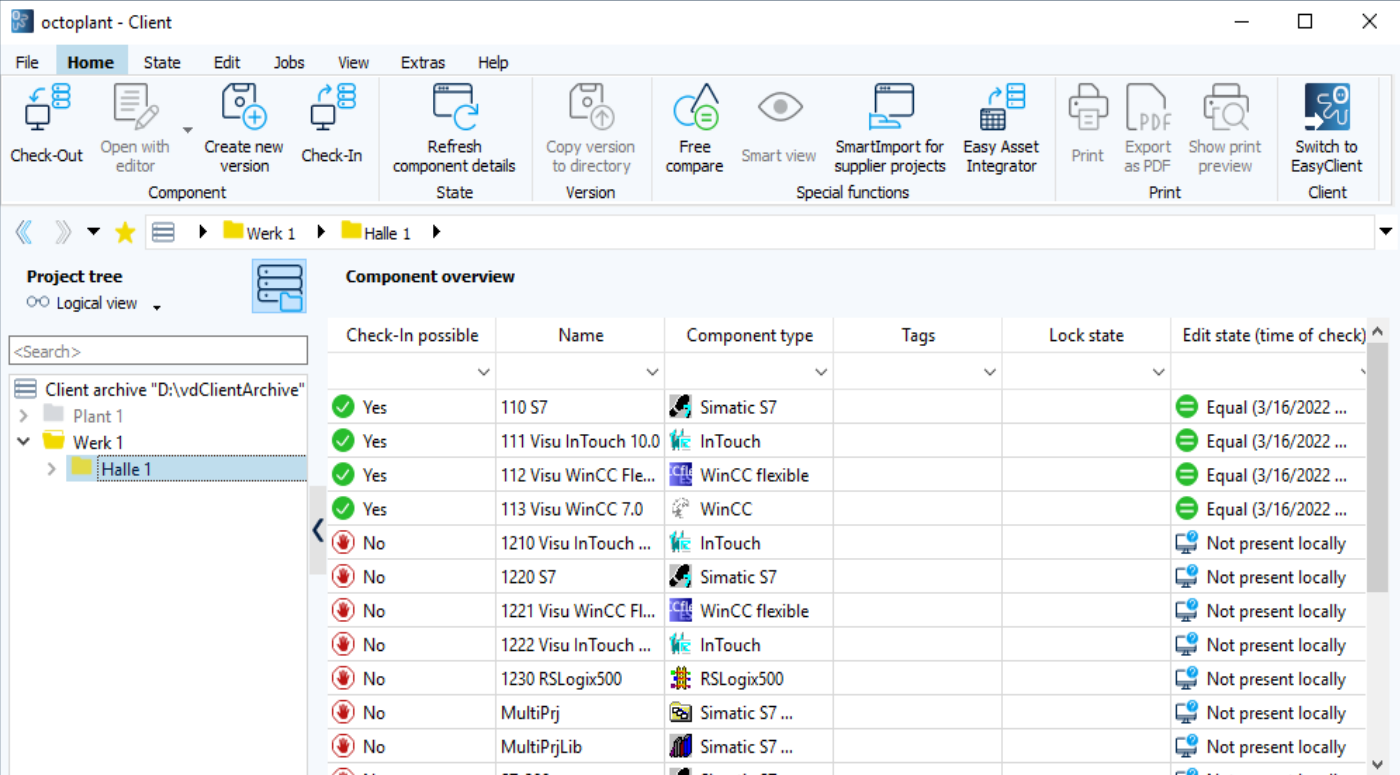
-
Menu bar
The menu bar contains tabs with various functions. You can execute many of the functions directly in the Project tree by right-clicking a component or project. -
Project tree
The Project tree maps the component structure identically to the file manager. -
Component overview/Component details
If no specific component is selected, an overview of all components is displayed here. If a component is selected, details about the component are displayed here.
Related topics