Activate scripting
Activate the Scripting feature before you configure or run any scripts.
To activate Scripting:
- Start the AdminClient and open the Global settings module.
-
Select the Scripting tab.
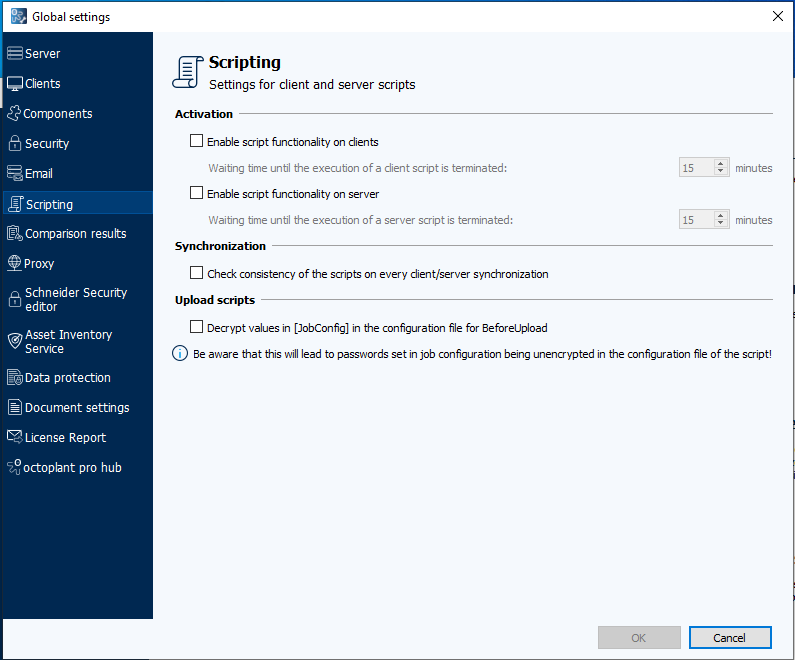
- Select the Enable script functionality on clients check box to enable client-side Scripting.
- Select the Enable script functionality on server check box to enable server-side scripting.
-
Select OK to save the settings.
Related topics