GE Cimplicity
Octoplant supports managing GE Cimplicity projects and enables cyclical monitoring of devices configured with this development environment.
Device support level
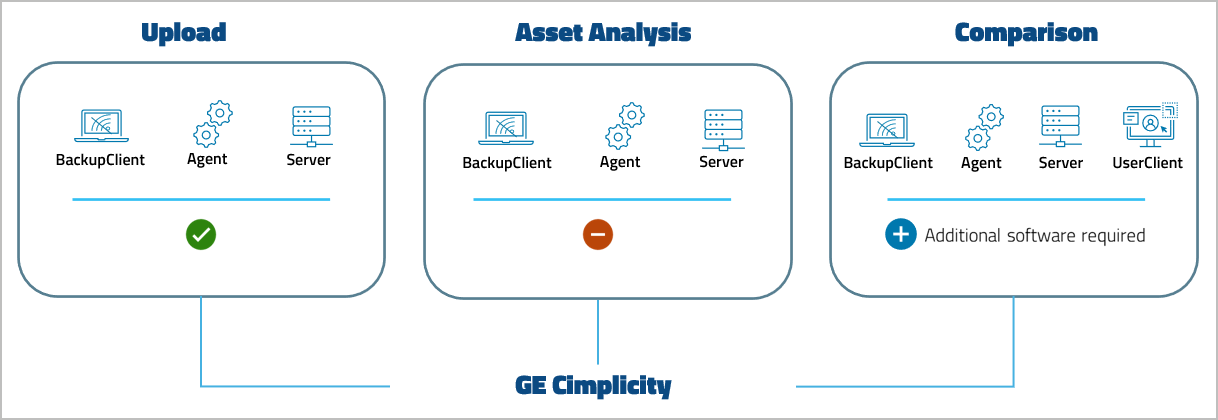
Key features and functions
| Version | Backup | ||
|---|---|---|---|
| Project lifecycle |  | Upload strategy: Automated upload |  |
| Compare: SmartCompare | | Compare: SmartCompare | |
| Restorable version | | Restorable backup | |
Software version compatibility
| GE Cimplicity | From Octoplant version |
|---|---|
| 11 | 107 |
Requirements
- To perform comparisons, install a compatible version of the editor on the same computer running the server or an agent.
- Project files are available in ASCII, binary, and JSON formats and can be compared directly. However, screens must be converted to JSON format before comparing them with Cimplicity comparison.
Related topics
To get the basic workflow for integrating the device, open General workflow.
Device-specific settings for this device, such as job configuration, can be found on the following pages: