Rockwell FactoryTalk View ME/SE
Octoplant supports the administration of Rockwell FactoryTalk View Machine Edition (ME), Rockwell FactoryTalk View Site Edition (SE). Upload to create a backup is currently not possible.
Device support level
Key features and functions
| Version | Backup | ||
|---|---|---|---|
| Project lifecycle |  | Upload strategy: Automated upload |  |
| Compare: SmartCompare | | Compare: SmartCompare | |
| Restorable version | | Restorable backup | |
Software version compatibility
| FactoryTalk View Studio ME & SE | From Octoplant version |
|---|---|
| 8.x | 101 |
| 9.x | 101 |
| 10.x | 101 |
| 11.x | 101 |
| 12.x | 101 |
| 13.x | 101 |
| 14.x | 105 |
Info
Starting with Octoplant version 101.2.x, Microsoft Windows 8.1 and older versions are no longer supported.
If you are using older Windows versions, consider the following limitations: Options for supporting old operating systems
Backup Local fails with FactoryTalk View 14
If you install FactoryTalk View 14 directly, the Backup Local process will fail.
To avoid this error, install FactoryTalk View 12 first and then upgrade to FactoryTalk View 14.
FactoryTalk View SE Network Distributed is currently not supported for version 8.X, 9.X, and 10.X.
Requirements
-
To integrate projects, use one of these two files depending on the editor:
- APA file if you are using FactoryTalk View Application Manager
- APB file, if you are using FactoryTalk View SE Application Manager V11
-
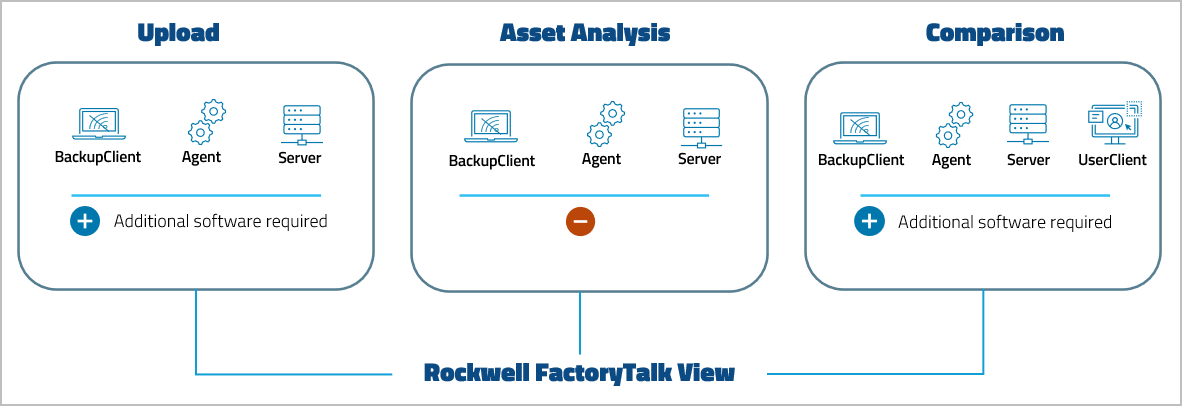
To compare projects, the FactoryTalk View comparator requires a valid installation of SQL server (at least Express Edition). The version of the FactoryTalk View comparator must match the database version of the FactoryTalk View project.
- To perform uploads, ensure that a compatible version of the software is installed on the same machine where the server or an agent is running.
- To carry out uploads, the MasterService has to be launched as a an application and not as a service.
Related topics
To get the basic workflow for integrating the device, open General workflow.
Device-specific settings for this device, such as job configuration, can be found on the following pages: