Configure comparisons for Siemens Scalance switches
Configure comparisons for components
In Scalance projects, you can exclude defined variables from the comparison.
You can only execute the comparison configuration if a corresponding file (ASCII) has already been stored in the component. The exact file extension depends on the component type comparator configuration.
-
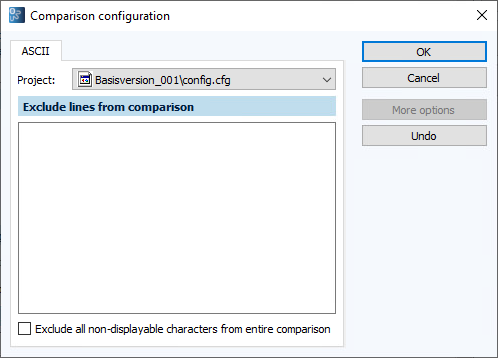
Open the Comparison configuration dialog.
-
If there are several projects in a component, select the corresponding project from the dropdown menu.
-
Enter the variable under Exclude lines from comparison.
You can use a wildcart character * (free text field).
-
Select OK to confirm.
Configure comparisons for individual jobs
To prevent differences being detected each time a job is executed, the Current values System Up Time and System Time must be excluded from the comparison. The comparison can only be configured if project data has been versioned in the associated component.
Related topics